🎯
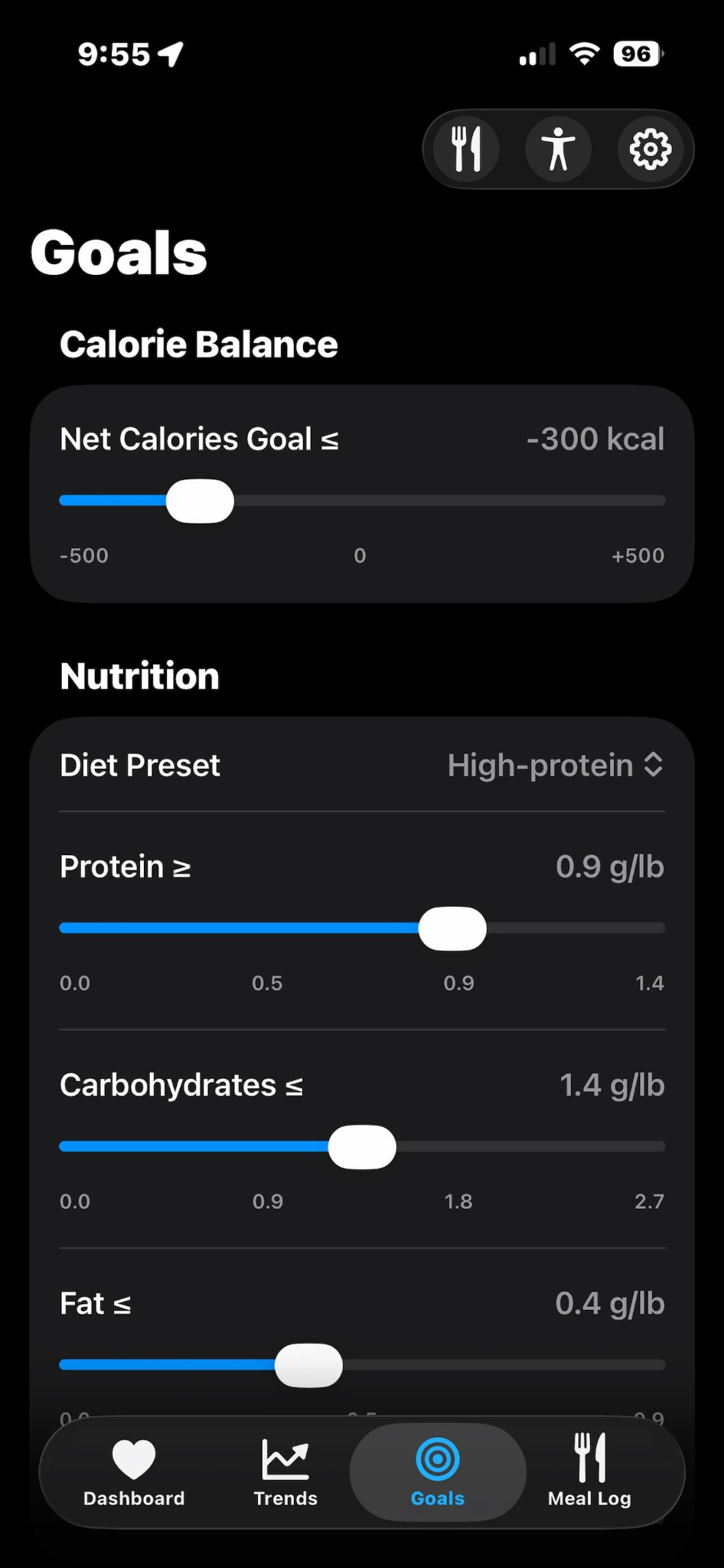
Set your goals
Personalize targets for net calories, macros, steps, workout minutes, VO₂ max, sleep hours, weight, and body fat percentage.
Track nutrition, exercise, sleep, and body trends in one clear daily view.
A focused dashboard for the habits you can change and the trends worth watching.

How to use LenVia
Set your targets, capture the habits that matter, and use your Dashboard and Trends to stay on course.
Personalize targets for net calories, macros, steps, workout minutes, VO₂ max, sleep hours, weight, and body fat percentage.
Log meals to add calories and macros to your Dashboard and Trends. AI meal logging is available as a premium feature.
Wear your device when you exercise. Start a workout recording on your watch, ring, or fitness app.
Log your weight in LenVia or use a smart scale that writes weight data to Apple Health.
Wear your device overnight so LenVia can show your sleep data from Apple Health.
Check your Dashboard each day to manage your goals in real time. Review Trends to see your progress over time.
Less noise. More signal.
LenVia keeps health tracking focused on what you can influence each day: nutrition, exercise, and sleep.
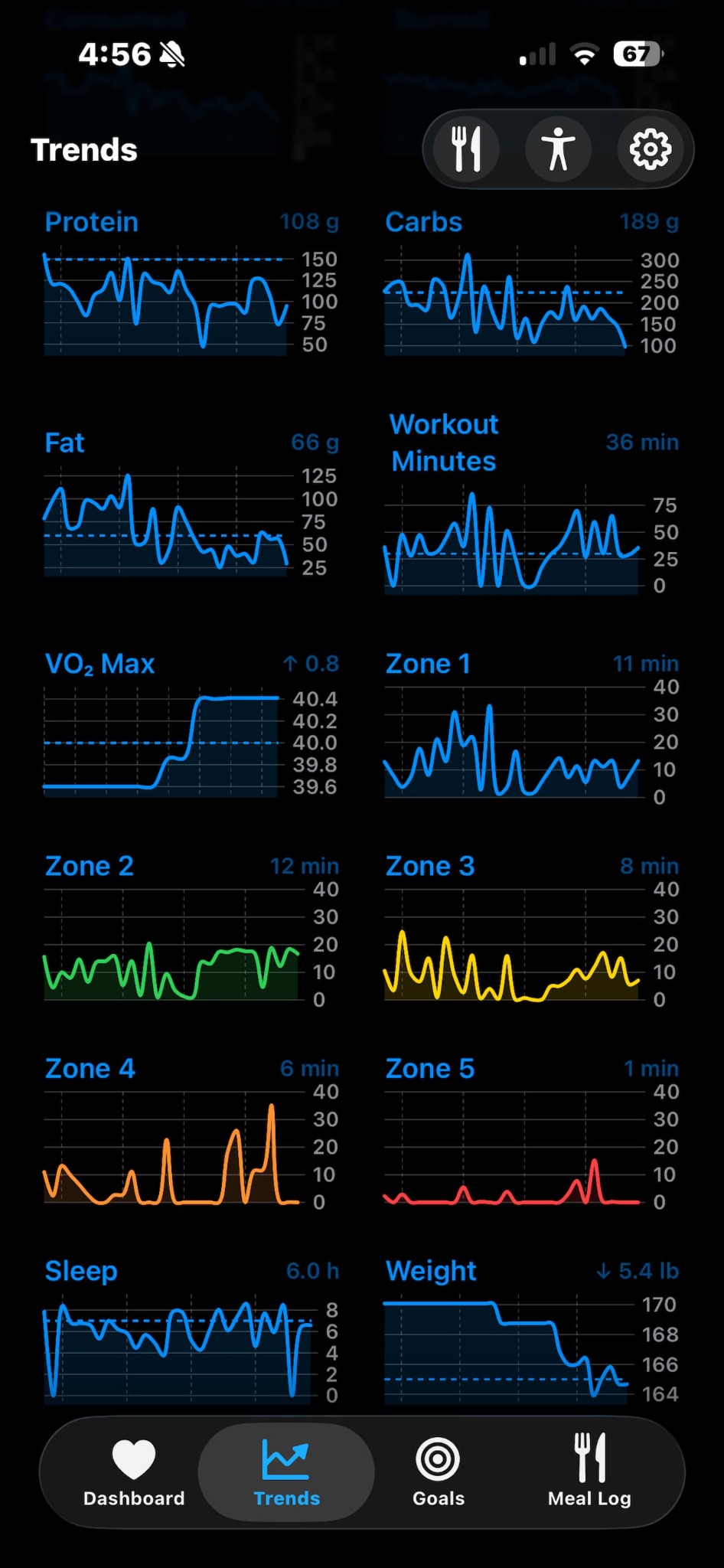
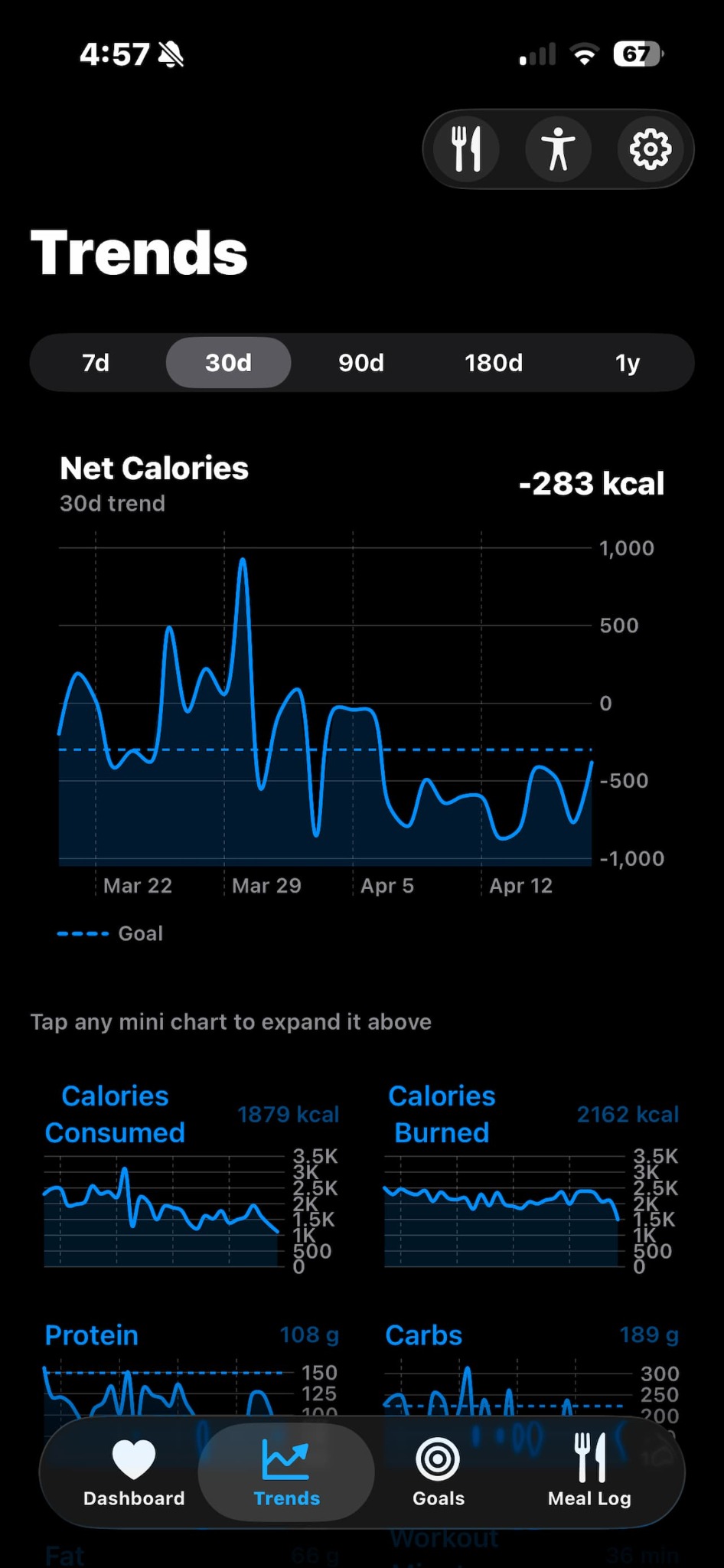
Bring together calories, macros, steps, workouts, VO₂ max, heart rate zones, sleep, weight, and body fat percentage trends in one focused view.
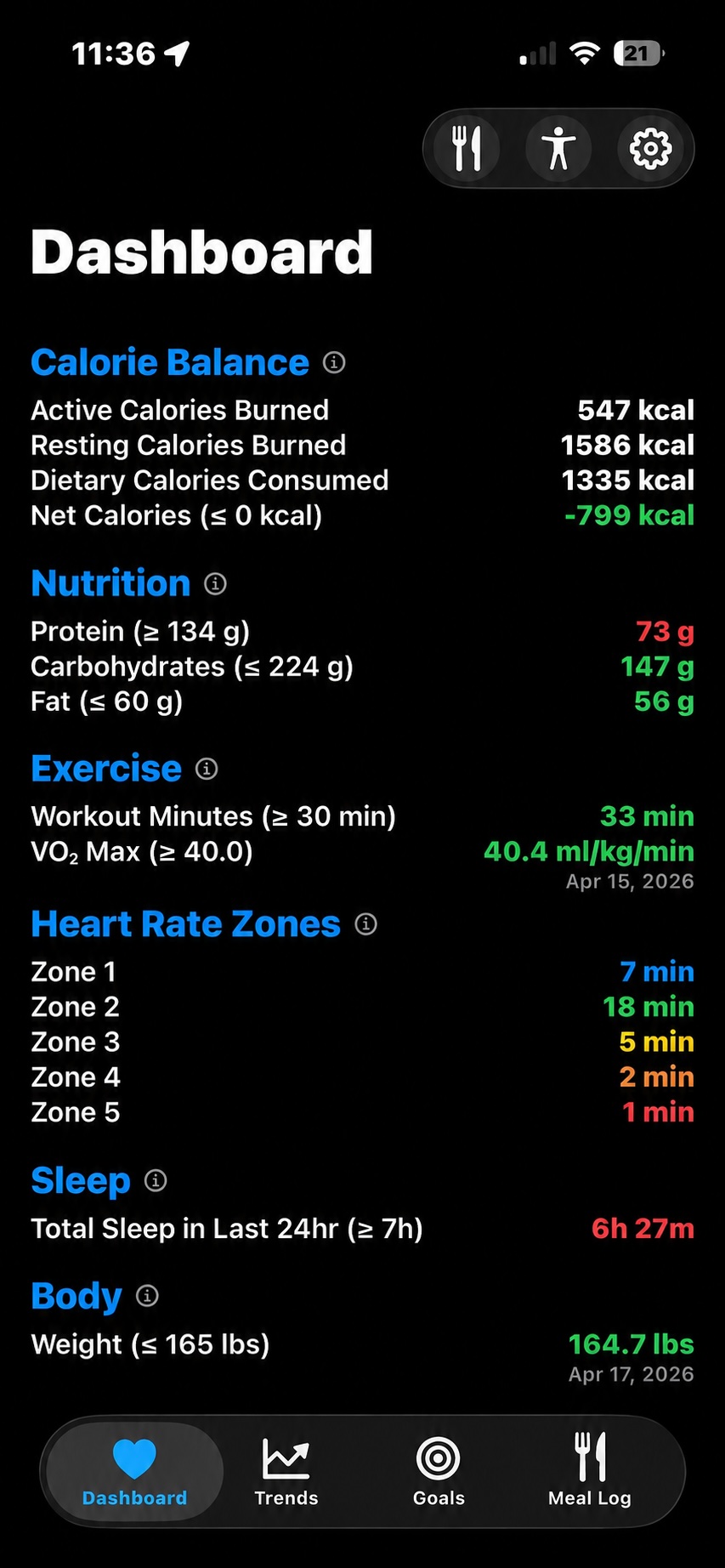
Daily numbers are useful. Long-term patterns are better. LenVia helps you focus on direction, consistency, and progress.
Track daily goals for losing weight, maintaining weight, or adding muscle.
Set daily targets for long-term progress. Personalize goals for calorie balance, nutrition macros, steps, workout minutes, VO₂ max, sleep, weight, and body fat percentage.
Nutrition upgrade
Type it. Speak it. Snap it. AI meal capture helps estimate calories and macros, then saves nutrition data to Apple Health.
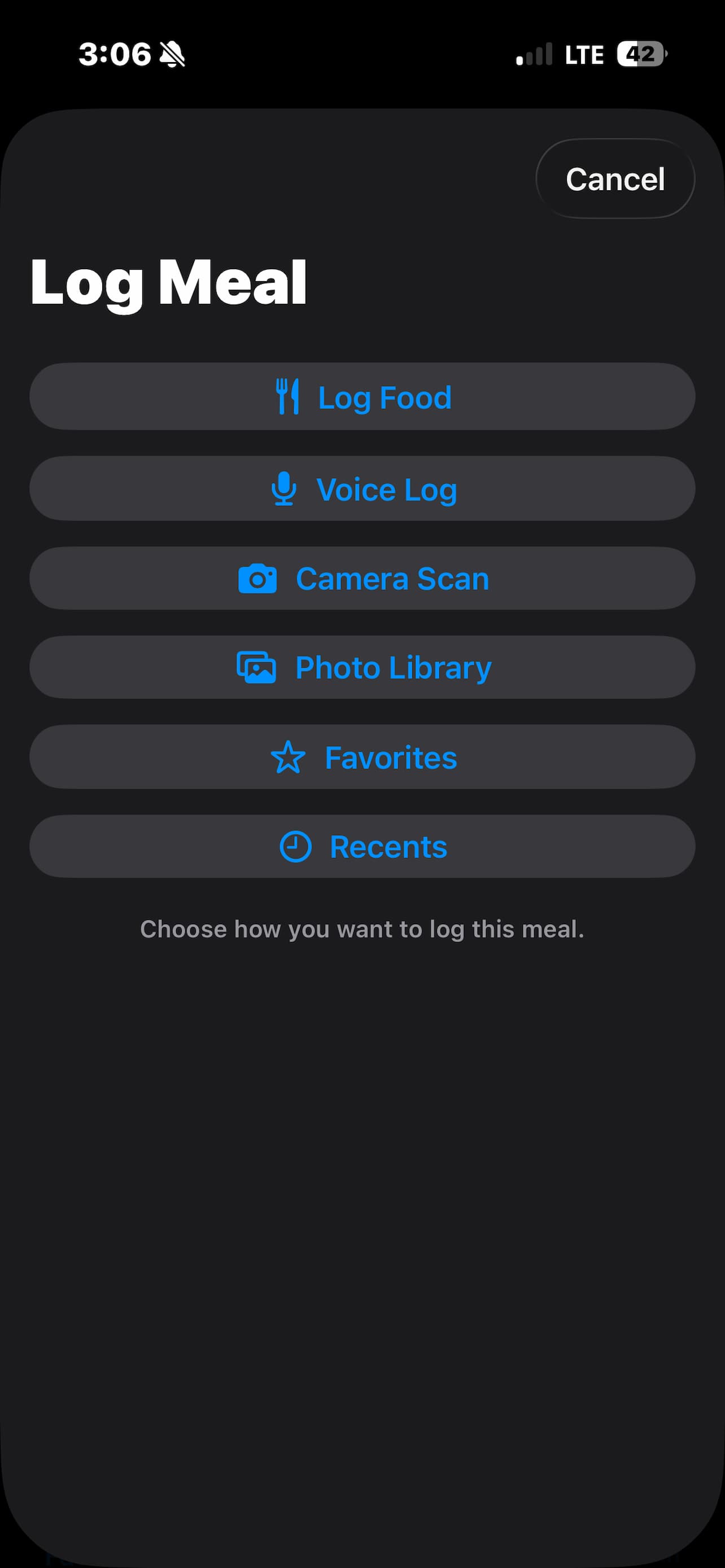
Log by text, voice, camera scan, photo library, favorites, or recents.
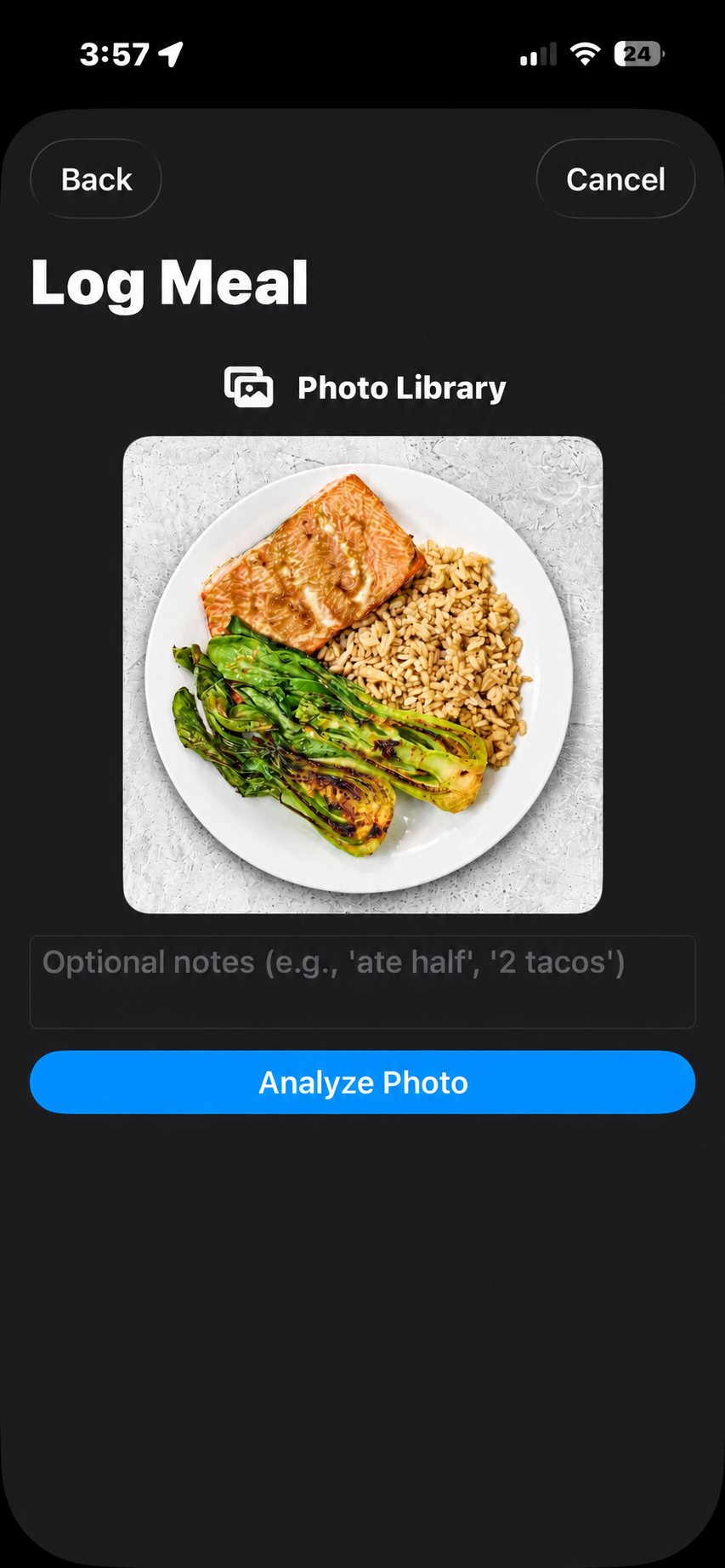
Snap a meal or choose a photo, then add optional notes like portion size.
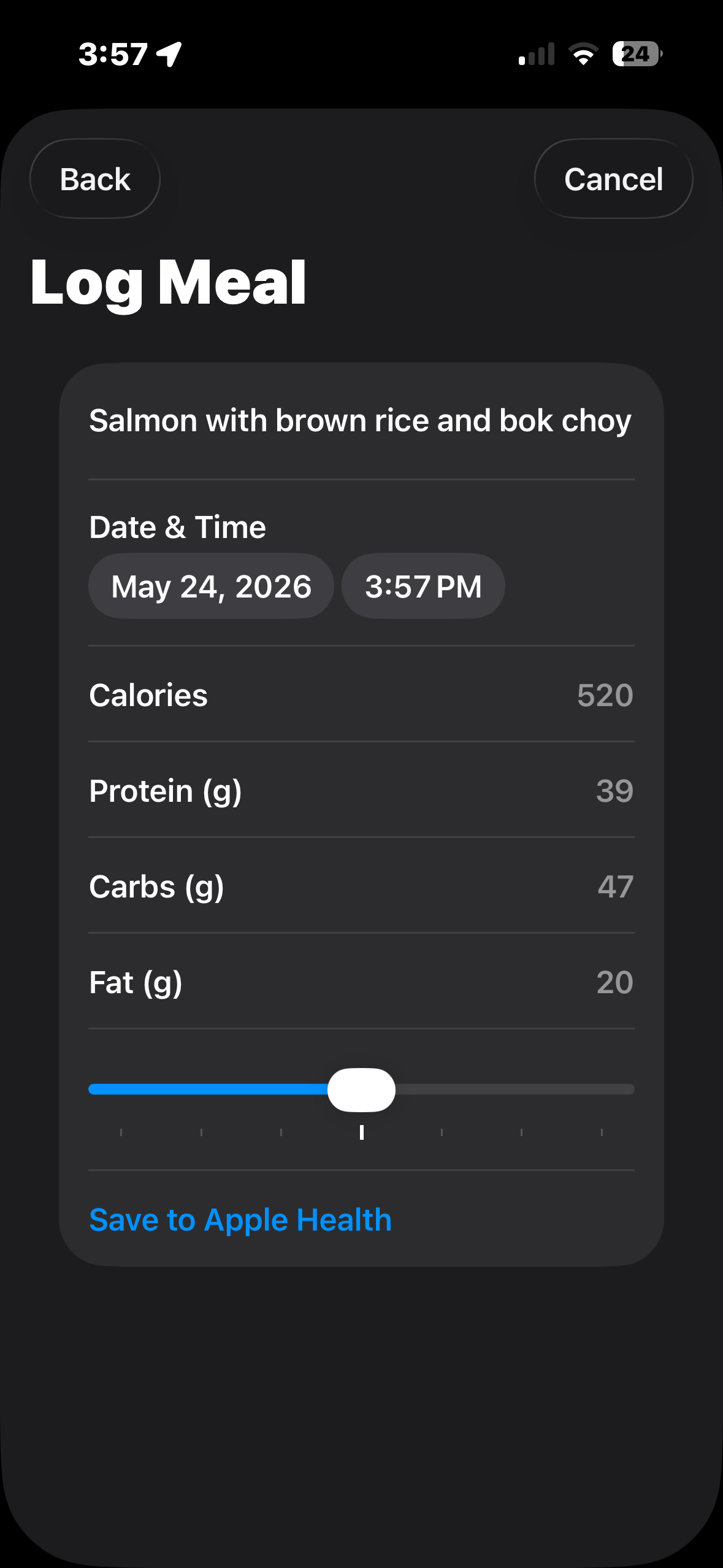
Adjust portions and save calories, protein, carbs, and fat to Apple Health.
LenVia reads from Apple Health to show your daily dashboard, but your personal health data is not sent to us, sold, or shared.
LenVia reads from Apple Health, so data from your watch, ring, smart scale, sleep tracker, workout app, and nutrition app can come together in one focused dashboard.
Simple pricing
Use LenVia’s core dashboard, trends, goals, and Apple Health integration for free. Upgrade when you want AI-powered nutrition logging.
Core tracking, goals, and trends.
AI meal capture for calories and macros.
or $59.99/year · includes a 14-day free trial